Shipping is one of the few industries where a single spreadsheet error can strand a container in the wrong port for weeks. That is why I built shipping management software that puts vessels, containers, customers and finance on one screen. Most small and mid-sized agencies still coordinate through email threads, chat groups and Excel files that never agree with each other.
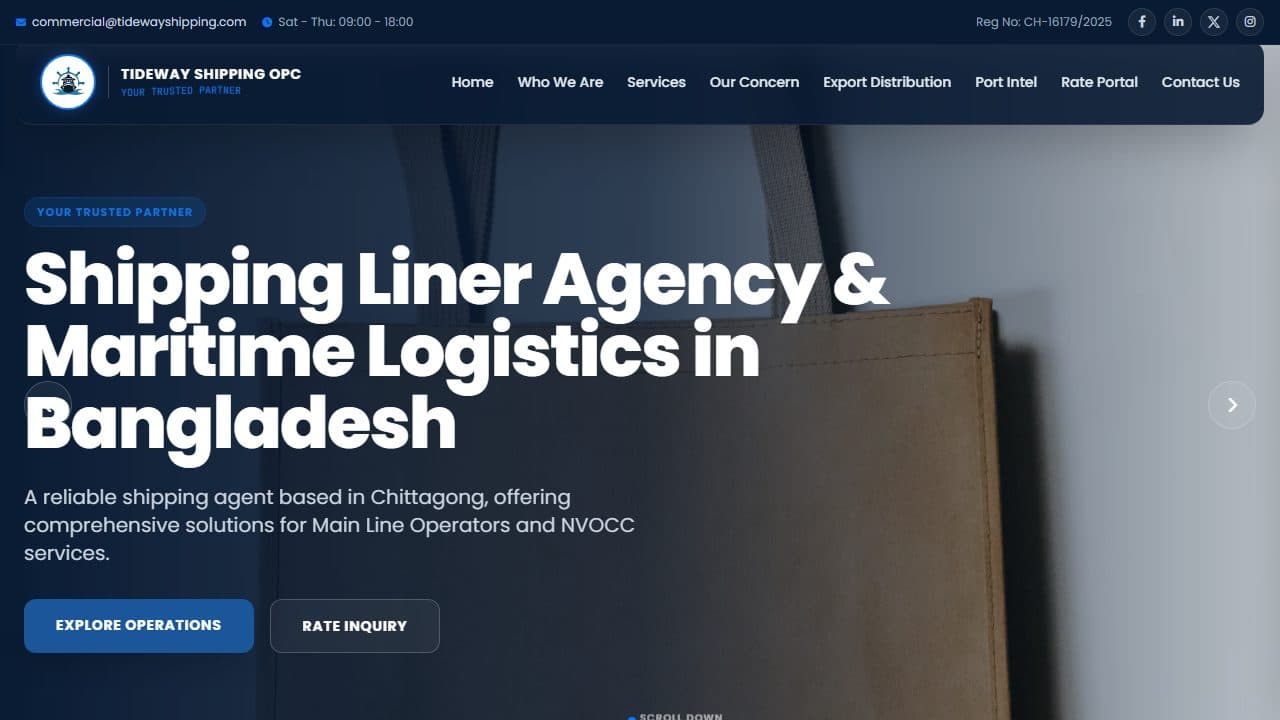
This case study covers two connected maritime projects: ABC Shipping Line, an internal demo platform I built to prove out a fleet management dashboard, and the public website for Tideway Shipping OPC, a liner and NVOCC agency in Chittagong, Bangladesh. Here is the problem, the decisions I made, and how the system fits together.
The problem: one fleet, five audiences
A shipping operation is not one user. It is at least five, and each needs a different view of the same data:
- Head office operations wants every vessel, its position, speed, fuel and alerts.
- Customers want to know where their container is and what a shipment will cost.
- Finance cares about invoices and payments, not headings and drafts.
- Crew need their own console on board.
- Port agents handle arrivals: berths, clearances, paperwork.
The usual failure mode is one giant admin panel with permissions bolted on later. Every screen ends up cluttered, and every user sees data they shouldn't. I wanted the opposite: separate, focused portals sharing one source of truth.
How I architected the shipping management software
Role-first portals over one shared state
ABC Shipping Line is a single React 19 + TypeScript application (Vite, Tailwind CSS 4, Motion for animation). I followed the component-first approach described in the official Thinking in React guide: one shared, typed vessel state at the top, and each signed-in role routed into its own portal:
HqPortal— fleet command centreCustomerPortal— tracking and quotesFinancePortal— billing workspaceCrewPortal— on-board consolePortAgentPortal— port-side operations
Because every portal reads from the same vessel model, a status change made by operations (flagging a vessel or marking it anchored) shows up everywhere that vessel appears. There is no sync step and no second copy of the data to drift.
A data model in the industry's own vocabulary
Each vessel carries the identifiers the industry actually uses: an IMO ship identification number and MMSI, flag, vessel type (container ship, bulk carrier, LNG tanker, Ro-Ro), status (in transit, anchored, moored, under maintenance), speed and max speed in knots, heading, draft in metres, fuel level, cargo load and type, ETA, a planned route and a position history. Getting this strict TypeScript model right first made every screen after it easier to build.
The vessel tracking map
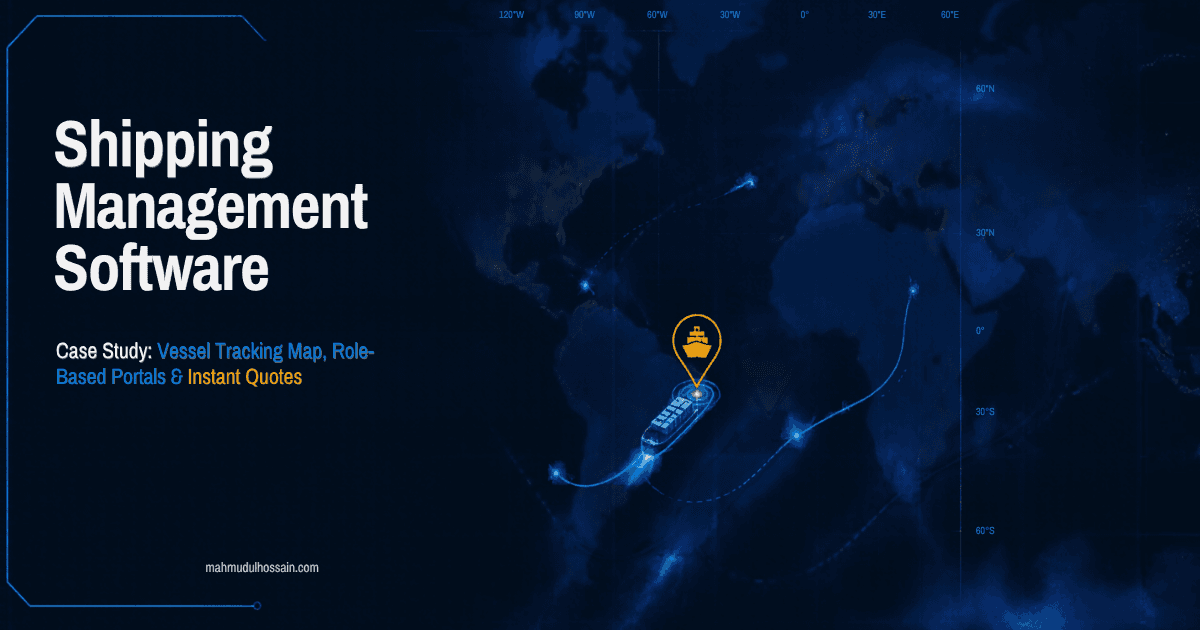
The centrepiece of the HQ portal is the GIS map. Rather than pulling in a heavy third-party map SDK for a dashboard view, I built a custom, lightweight SVG map component in React, which gave full control over styling and behaviour:
- Vessel markers projected from latitude/longitude, with a fading track history trail behind each ship.
- Auto-fit camera bounds that frame every vessel currently in transit.
- Search and filters — find a ship by name, IMO number or type, and filter by status.
- Dark and light basemaps for control-room and daytime use.
- A distance tool that calculates great-circle distance in nautical miles between points you click.
- Anomaly highlighting — a vessel is flagged when it is in transit outside an expected speed band or burning fuel above a threshold, alongside manual alerts raised by operations.
Simulation first, real AIS later
In this demo, vessel movement comes from a simulation engine: a timer interpolates each ship along its planned route, advances it through waypoints and updates its position history and fuel rate. That was deliberate. It let me build and test the whole workflow — alerts, filters, customer tracking — without paying for a data feed. Real fleets broadcast their position through the Automatic Identification System (AIS), and because the map only consumes the typed Vessel model, swapping the simulator for a live AIS provider is a data-layer change, not a UI rewrite.
Customer self-service: tracking and instant quotes
For shippers, the customer portal answers the two questions they actually call about:
- "Where is my cargo?" — customers search by container ID or booking number. The portal shows a milestone stepper from booking confirmation onward and, where a carrying vessel is matched, links the shipment to that vessel on the map.
- "What will it cost?" — an instant quote engine returns an estimated freight figure broken down with surcharges such as a bunker adjustment factor (BAF), plus an estimated transit time.
Every question a customer can answer themselves is one less email for the operations team.
Under the hood: the Code Explorer
The repository also includes a built-in Code Explorer and a Flutter captain console screen organised in clean-architecture layers — presentation, domain and data — across vessel tracking, schedule sync and container tracking. It shows how the same domain could ship as a native mobile app for crew.
The public face: Tideway Shipping OPC
Software is only half of a shipping business's digital presence. For Tideway Shipping OPC I built the public website that wins enquiries in the first place — the same discipline I bring to conversion-focused landing page development. It's a fast static site (Tailwind, Swiper, AOS animations) with:
- Service sections for main-line and NVOCC agency, sea and air freight, door-to-door logistics, customs clearance and vessel husbandry.
- Port intelligence content — an interactive breakdown of Bangladesh's export cargo mix and Chittagong port terminal specifications.
- A rate portal that gives visitors an instant estimate (ocean or feeder) for lanes such as Chittagong to Singapore, Colombo, Port Klang, Rotterdam and Hamburg, with estimated transit days.
- Structured data (schema.org LocalBusiness and WebSite), a sitemap and robots rules, backed by technical SEO so search engines understand the business.
- A contact form that opens a pre-filled email to the commercial team.
What was delivered
Without inventing numbers, here is what exists today:
- A multi-role operations demo with five purpose-built portals over one shared, typed data model.
- A custom vessel tracking map with history trails, anomaly flags, search, filters and nautical-mile measurement.
- Customer self-service: container and booking tracking plus instant quotes.
- An architecture where a live AIS source can be plugged in without rebuilding the interface.
- A search-optimised public website for Tideway with a rate estimator for its trade lanes.
I designed and wrote both projects end to end — data model, UI, map logic and deployment on Vercel.
Lessons for anyone building logistics software
Model the domain before the screens. IMO, MMSI, draft, ETA and status aren't decoration; they are the vocabulary your users think in.
Split by role, not by feature. Five small portals are easier to secure, test and explain than one sprawling dashboard — the same isolation mindset behind why I use row-level security on every multi-tenant project.
Prototype with simulation, then integrate. A realistic simulator lets stakeholders validate workflows before you sign a data contract.
Don't neglect the marketing site. The best operations system does nothing if prospects can't find you or get a quick price.
Need shipping management software for your business?
If you run a shipping line, freight forwarder or agency and still coordinate through spreadsheets and chat groups, custom shipping management software can replace that chaos with one source of truth. I design and build role-based web platforms — maps, dashboards, customer portals and the integrations you need — and I own the whole build myself. If you're evaluating developers, read the questions to ask before hiring a full-stack freelancer.
Then get in touch for a short project call or email hello@mahmudulhossain.com with a short description of your operation, and I'll come back with how I'd approach it and a realistic timeline.